[SpringBoot] 테스트용 DB와 설정 분리
DB 설정
src -> main -> resources -> application.properties
spring.datasource.username=postgres
spring.datasource.password=pass
spring.datasource.url=jdbc:postgresql://localhost:5432/postgres
spring.datasource.driver-class-name=org.postgresql.Driver
테스트 DB 설정
@SpringBootTest : @SpringBootApplication을 찾아서 설정된 모든 어노테이션을 등록시켜준다. 따라서, 위에서 설정한 정보를 그대로 사용하게된다.
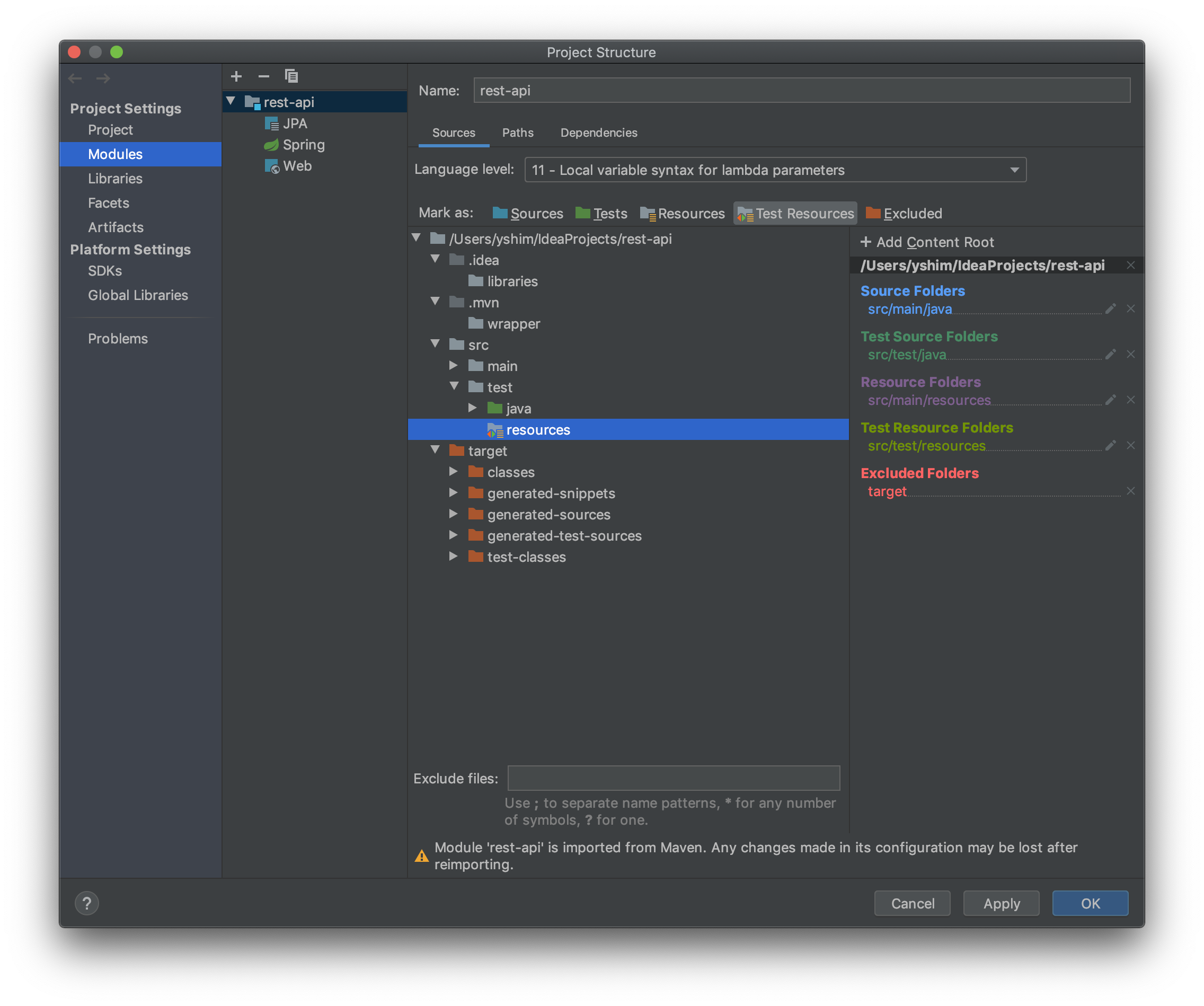
test -> resources 폴더를 생성 -> application.properties 파일 붙여 넣는다.
- Test Resources등록
중복 처리
테스트에서 사용하는 properties의 파일 이름을 ‘application-이름’의 형식으로 바꿔준다. Test클래스 상단에 @ActiveProfiles(“이름”)을 붙여준다.